QR code wedding album: guests scan, the photos come to you.
No app, no sign-up. Your guests scan the QR code on the table with their phone camera and upload their wedding photos and videos to your album in seconds. You approve them, show them on the big screen and download them all as one ZIP.
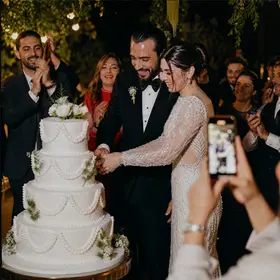

No app, no sign-up. Your guests scan the QR code on the table with their phone camera and upload their wedding photos and videos to your album in seconds. You approve them, show them on the big screen and download them all as one ZIP.
- 01
Create your event
Couple's names, date and venue. Your album address and QR code are ready instantly.
- 02
Put the QR on the tables
Share the album link digitally or print the PDF that comes with the album yourself.
- 03
Let the photos flow in
Guests upload, you approve; the album and the slideshow fill up by themselves.
What is a QR code wedding album?
A QR code wedding album is an app-free way to gather the photos and videos guests take during the wedding in one place. QR code cards go on the tables; a guest scans the code with their phone camera, types their name, picks their photos and sends them.
Instead of WhatsApp groups, cloud links and files arriving one by one, every photo collects in the couple's album. Wedding photo sharing comes down to a single QR code, and you only approve. Think of the album as a digital guest book: the guest's name and, if they like, a note stay with their photo.
Approve, project, download.
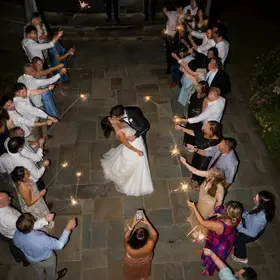




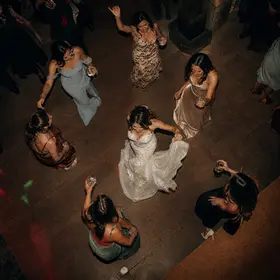



Zeynep Kaya
“So happy for you both.”
Ready for the wedding night.
So nothing goes wrong on the night, the safeguards are built into the product.
Test it before the wedding
Even before you buy the album, scan the QR with your own phone and upload 5 photos; approve them on the dashboard and see them in the gallery and the slideshow.
Weak internet at the venue
If the connection drops, the upload waits and carries on by itself when the internet is back; photos already sent don't go twice. The upload link stays open after the wedding too, so guests can send from home.
Live slideshow on the big screen
Connect a laptop to the projector or TV with HDMI and open the slideshow link full screen in the browser; it works in smart TV browsers too. Newly approved photos are added every 10 seconds.
What's included
Unlimited guests and photos
However many people come and however many photos they take. Photos up to 60 MB, videos up to 2 GB.
Approval
New photos come to you first; approve them one by one or all at once, and hide what you don't want.
Gallery and PIN
Open the album to guests or keep it closed; protect it with a PIN if you like. Hidden from search engines.
Live slideshow
A full-screen slideshow for the big screen; newly approved photos join the queue every ten seconds.
One-click ZIP
Every photo downloads in original resolution, in folders by guest name.
One year of storage
One year from the event. We remind you 30 and 7 days before it ends; extend it if you like.
Location data removed
GPS data in photos is cleared on the guest's phone before sending.
No fear of dropouts
If the venue's connection drops, the upload waits and picks up where it left off.
Turkish and English
Guest pages open in the browser's language and switch with one tap.
QR Photo Album
Guests scan the QR code on the table and upload their photos and videos to your album.
₺1,690 incl. VAT
+₺490 for 2 years of storage
- No app: guests scan the QR and upload
- Unlimited photos, videos and guests
- Approval and optional PIN
- Live slideshow on the big screen
- Download everything as a ZIP
- 1 year of storage
- QR code and print-ready card PDF
Common questions
Do guests need to download an app or sign up?
No. They just scan the QR code on the table with their phone camera. On the page that opens they type their name and choose their photos and videos; it works in iPhone and Android browsers.
Do photos appear in the album straight away?
If approval is on, they come to you first and you approve them one by one or all together on the dashboard. If you turn approval off, every photo appears in the album and the slideshow as soon as it arrives.
Who can see the album?
Only people who have the link or the QR code; the album is hidden from search engines. You can protect it with a PIN or keep it closed altogether. The upload page is always open.
Can guests upload videos? Is there a size limit?
Yes. Photos can be up to 60 MB and videos up to 2 GB; 200 files per visit.
What happens to the location data in photos?
Location (GPS) data in photos and videos is removed on the guest's phone before the file is sent. The album shows only the photo, the guest's name and their note, if any.
How long are photos kept, and how do I download them?
For one year from the event date. During that time you can download every photo in original resolution as a single ZIP, organised into folders by guest name. We email you 30 and 7 days before the period ends; you can extend it by a year if you like.
How do I show the slideshow on the venue screen?
Your dashboard has a slideshow link just for you. Connect a laptop to the projector or TV and open the link full screen; newly approved photos are added every ten seconds.
What if something doesn't work on the wedding night?
The photos stay on the guest's phone, so nothing is lost. If the connection drops, the upload waits and carries on by itself when the internet is back; if it stops halfway, the guest picks the same photos again later and the ones already sent don't go twice. The upload link stays open after the wedding, so photos can be sent the next day too. If the slideshow stops, just reload the page; the photos that arrived stay in the album. Best of all, test it with your own phone before the wedding; if anything gets stuck, write to us from the contact page.
What if the internet at the venue is weak?
Guests can still upload; it just goes more slowly. Photos are sent one by one; if the connection drops, the upload waits and carries on by itself when the internet is back, and large videos continue where they left off. The page just needs to stay open while sending. The upload link stays open after the wedding too, so guests can send from home on Wi-Fi.
Do you use our photos anywhere else?
No. We don't sell the photos, use them for advertising or promotion, or use them to train AI models, and we don't use facial recognition. Photos are kept in storage that isn't public and are shown through time-limited links only to people who can open your album; location data is removed before sending. When the storage period ends, the photos can be downloaded for 30 more days and then the files are deleted. If you like, you can delete everything sooner with "Delete all data" on the dashboard (it can be undone within 7 days). Our service providers and server locations are listed in the privacy notice.
Create your event, your QR is ready.
Start for free; the moment you buy the album, your guests can start uploading photos and videos.